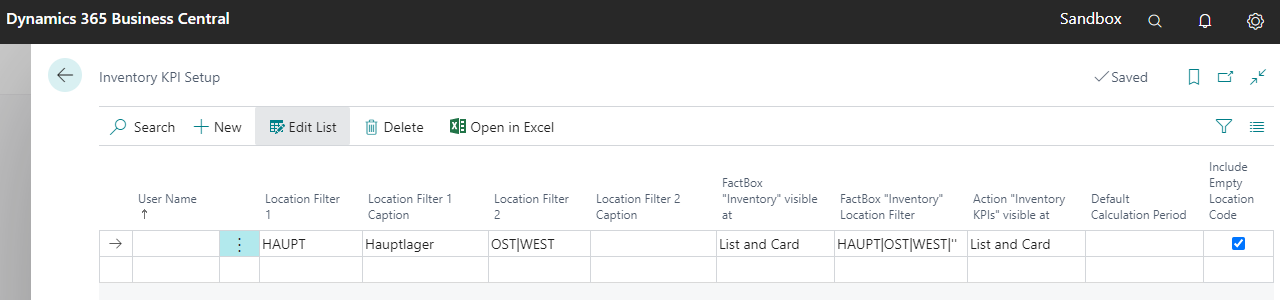
Choose a user name to define a particular configuration for that user
If you leave this field blank, the setup applies to all users (general setup)
The user-specific setup has priority over the general setup
Location Filter
Define a location filter, if you want to create a separate inventory column shown within the item list
You can define even more locations in one column, separated by pipe
It is possible to define up to 4 columns (show more fields in the table)
Location Filter Caption
Define a caption for the corresponding inventory column within the item list
If you leave this field blank, the default caption „Inventory („Filter“)“ will be suggested
FactBox „Inventory“ visible at
Define if and on which page the FactBox „Inventory“ should be shown
FactBox "Inventory" Location Filter
Define which specific locations should be shown in the FactBox „Inventory“
You can insert even more locations, separated by pipe
You can consider the empty location with “
If you leave this field blank, all locations will be shown
Action „Inventory KPIs“ visible at
Define if and on which page the action „Inventory KPIs“ should be shown
Default Calculation Period
Define the default calculation period for the action „Inventory KPIs“
If you leave this field blank, the default calculation period „1W“ will be suggested
Include Empty Location Code
Define if the empty location code should be included in the FactBox „Inventory“ and should be considered in the action „Inventory KPIs“ regarding the flag „Show by Location“
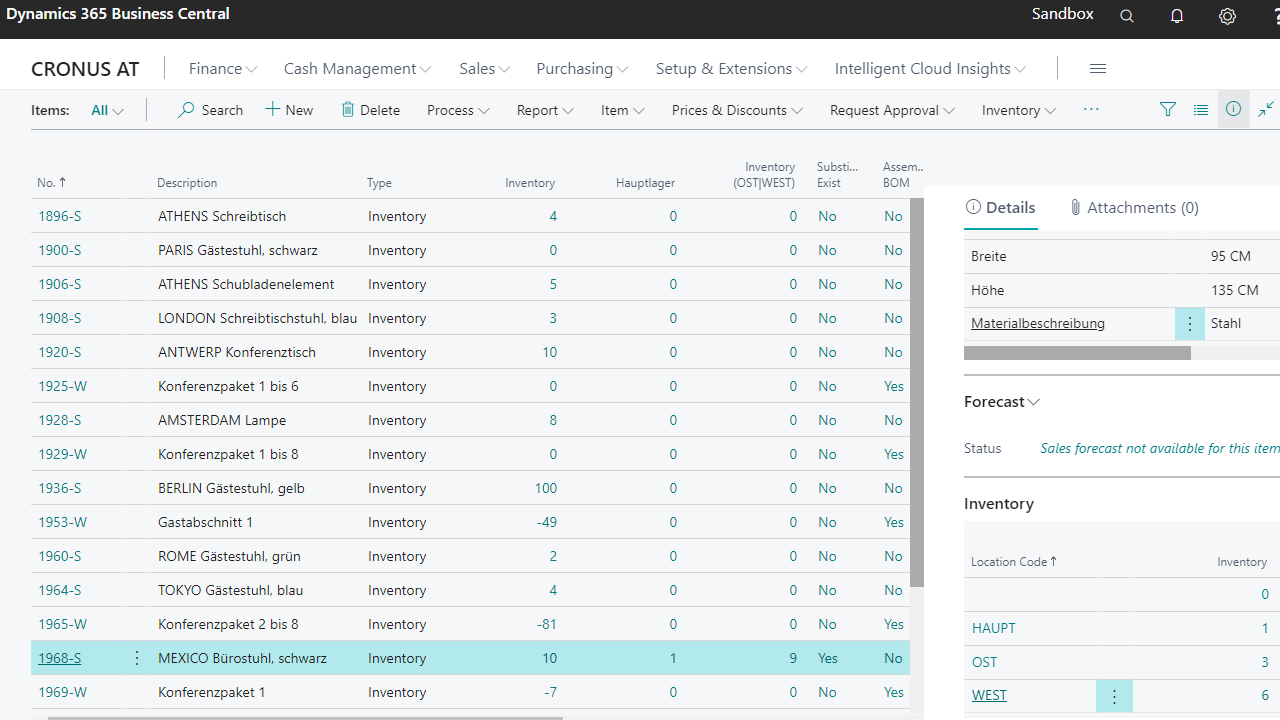
Get an overview (Item List)
Open the Item List
Check if the columns of the defined locations are shown, containing the corresponding inventory (according to Setup)
Check if the FactBox „Inventory“ is shown (according to Setup)
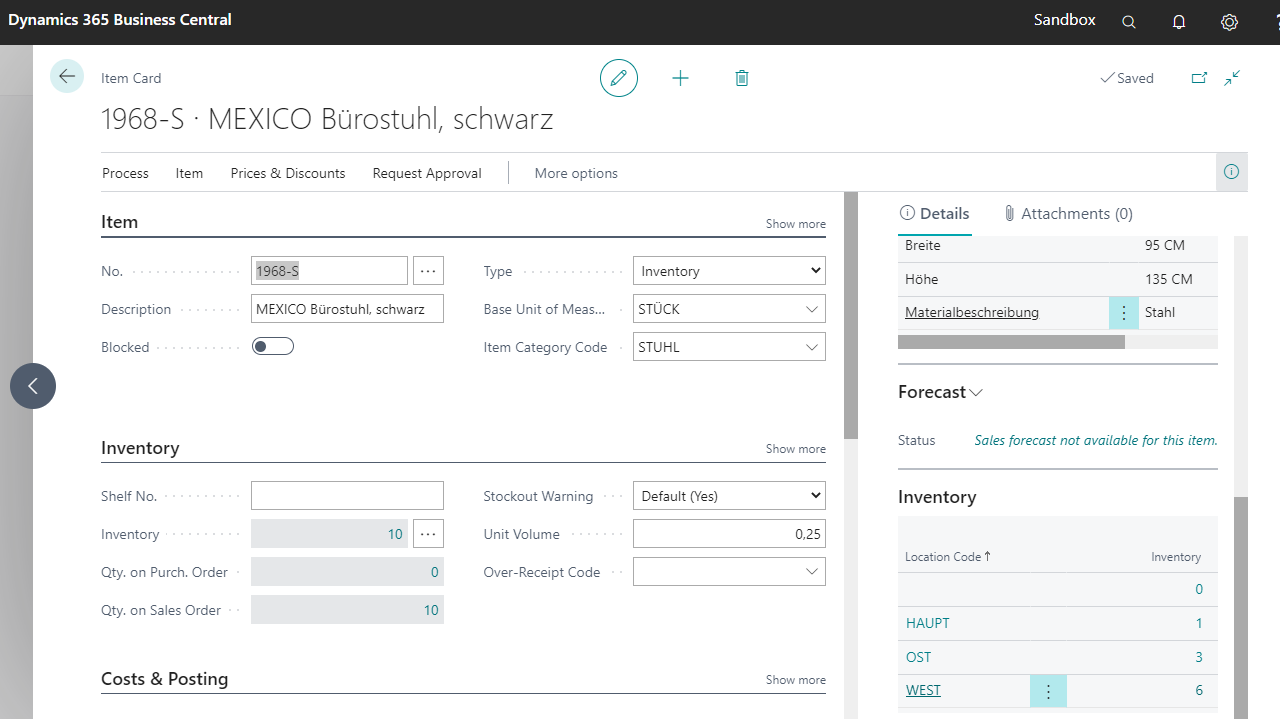
Get an overview (Item Card)
Open the Item Card
Check if the FactBox „Inventory“ is shown (according to Setup)